Artificial intelligence users no longer have to depend on a single chatbot. Today, people can choose from a wide range of AI models, each offering different strengths for writing, coding, reasoning, research, image generation, document analysis, and everyday productivity.
The problem is that using multiple AI models can quickly become inconvenient.
Users may need to open several websites, manage different accounts, switch between browser tabs, copy prompts from one platform to another, and keep track of different conversations. For developers and professionals who use AI throughout the day, this constant switching can interrupt their workflow.
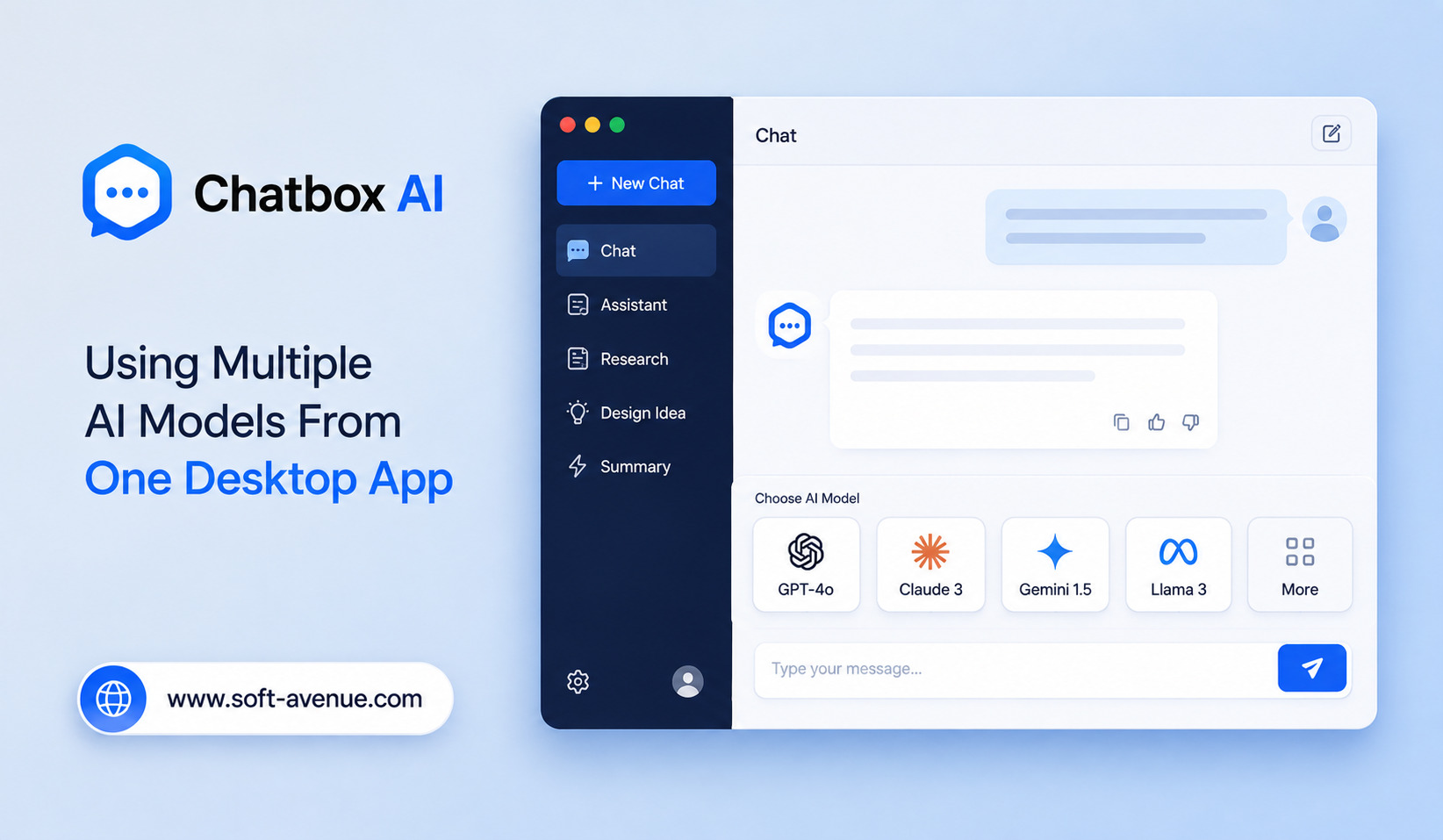
Chatbox AI offers a different approach by bringing multiple AI models and AI services into a single desktop-oriented workspace.
Instead of treating every AI provider as a separate application, a multi-model interface can give users one place to interact with different models. This can make experimenting with AI easier while creating a more organized workflow.
What Is Chatbox AI?
Chatbox AI is an AI chat application designed to provide access to different AI models and services from a unified interface.
The central idea is convenience.
Rather than visiting a separate website for every AI provider, users can work with multiple models from the same application.
This can be useful for people who compare AI responses regularly. A user might want one model for writing, another for coding, and a different model for reasoning through a difficult problem.
Having those options within one workspace makes switching between models considerably simpler.
Why Use Multiple AI Models?
No single AI model is perfect for every task.
Different models can vary in reasoning ability, writing style, coding performance, response speed, context handling, multimodal capabilities, and cost.
For example, a developer may prefer one model for programming assistance while using another for brainstorming or research.
A content creator might compare responses from multiple models before choosing the best version.
Researchers may also want to examine how different models interpret the same question.
A multi-model application makes these comparisons easier because the user does not have to constantly move between unrelated interfaces.
One Desktop Workspace for AI
One of the main attractions of a desktop AI application is the ability to keep AI interactions in one place.
Browser-based AI tools can require numerous open tabs.
Over time, this can become difficult to manage.
A dedicated desktop workspace can provide a more focused environment for conversations, prompts, documents, and model selection.
This can be especially useful for professionals who spend several hours each day working with AI.
Instead of treating AI as another collection of websites, it becomes part of the desktop workflow.
Comparing Different AI Responses
Multiple-model access is particularly useful when accuracy or quality matters.
A user can submit the same prompt to different models and compare the results.
For example, a business owner could ask several models to create ideas for a marketing campaign.
A developer could compare approaches to solving a programming problem.
A writer could evaluate different versions of an article introduction.
The user remains in control of the final decision.
Rather than assuming that one AI model is always correct, comparing multiple outputs can provide a broader perspective.
AI for Writing and Content Creation
Content creators use AI for a wide variety of activities.
These include brainstorming, outlining, rewriting, editing, summarizing, creating social media content, and developing marketing ideas.
Different models can produce noticeably different results from the same prompt.
One may produce a concise response, while another may provide more creative ideas.
With multiple models available in one application, users can experiment quickly.
They can take the strongest ideas from different responses and combine them into a final piece of content.
This makes AI a collaborative tool rather than a one-click content generator.
AI for Programming
Developers are another major group that can benefit from multi-model AI applications.
AI coding assistants can help explain unfamiliar code, generate functions, find bugs, create tests, and suggest improvements.
However, developers may want to compare different approaches.
One model might provide a technically correct solution, while another might suggest a simpler implementation.
Having several models available from one application makes experimentation easier.
Developers can also avoid becoming overly dependent on a single AI system.
Research and Information Analysis
AI models are increasingly used to analyze large amounts of information.
Users can ask AI to summarize documents, extract important points, organize ideas, or explain complicated subjects.
Using multiple models can provide additional perspectives.
For important research, a user might compare outputs and manually verify important claims.
This is especially useful because AI-generated answers can contain errors.
Multiple responses do not guarantee correctness, but they can help users identify differences and determine which claims require further verification.
Working With Documents
A modern AI workspace can become more useful when it supports document-based workflows.
Instead of manually copying long passages into a chatbot, users can work with files and ask AI to summarize, analyze, or transform their contents, depending on the application’s capabilities.
For professionals, this can make activities such as reviewing reports, extracting information, preparing summaries, and organizing notes more convenient.
However, users should always consider the sensitivity of documents before sending them to an external AI provider.
Image and Multimodal AI
AI is no longer limited to text.
Many modern models can work with images and other types of information.
This creates additional possibilities for a multi-model application.
A user might analyze an image with one model, ask another model to interpret the findings, and then use a third model to turn the information into written content.
The exact capabilities available depend on the models and integrations supported by the application.
Still, the broader trend is clear: AI workspaces are increasingly becoming multimodal environments.
Benefits for Professionals
Professionals often use AI for many unrelated tasks during the same working day.
A marketer may need AI for campaign ideas, research, customer analysis, and copywriting.
A developer may use it for coding, documentation, debugging, and technical research.
A business owner may use AI for planning, communication, and data analysis.
Using one multi-model application can reduce the friction associated with moving between separate services.
It also gives users greater freedom to select the model that best matches the task.
Reducing AI Tool Switching
Constantly changing applications can create unnecessary friction.
Users may need to remember different login credentials, find previous conversations, copy information between platforms, and adjust to different interfaces.
A unified application can reduce some of this complexity.
The advantage is not necessarily that users need fewer AI models.
Instead, they can potentially manage multiple models through a single workflow.
This is particularly valuable for people who use AI as a regular part of their work rather than occasionally asking a chatbot a question.
Managing AI Conversations
As AI usage increases, conversation management becomes important.
A user may have separate discussions about marketing, software development, research, personal projects, and business operations.
Keeping those conversations organized can make it easier to return to previous work.
A desktop AI workspace can provide a centralized environment where users can maintain their AI interactions.
This can improve continuity and reduce the need to recreate context repeatedly.
Privacy and Security Considerations
Using a multi-model application does not remove the need for privacy awareness.
Depending on how an application works, prompts and files may be sent to external AI providers.
Users should understand which provider receives their information and what policies apply to their data.
Sensitive business documents, personal information, passwords, financial records, and confidential company material should not be shared with AI systems without appropriate safeguards.
Businesses should also review authentication, data retention, access controls, and provider policies before adopting AI applications for professional use.
Challenges of Multi-Model AI
Having many models available can also create confusion.
If users constantly switch between models without understanding their strengths, they may spend more time choosing a model than completing the task.
There can also be differences in response quality, context limits, pricing, and availability.
A unified interface makes access easier, but it does not make every model equivalent.
Users still need to understand which model is appropriate for a particular workload.
The Future of Desktop AI Applications
Desktop AI applications are likely to become increasingly important as AI becomes part of everyday computing.
Instead of opening a separate website whenever they need AI, users may increasingly expect AI to exist alongside their other desktop tools.
Multi-model applications could evolve into centralized AI workspaces that combine conversations, documents, coding assistance, research, automation, and other capabilities.
The desktop may become less about choosing one AI assistant and more about managing a collection of specialized AI models.
Final Thoughts
Chatbox AI highlights an important trend in the AI ecosystem: giving users access to multiple AI models from one convenient workspace.
Instead of constantly switching between separate websites and applications, users can potentially compare models, experiment with different capabilities, and organize their AI conversations in one place.
This can be useful for writers, developers, researchers, marketers, students, and business professionals who rely on AI for different types of work.
The biggest advantage of a multi-model approach is flexibility. Users do not have to assume that one AI model is the best choice for every problem.
At the same time, responsible AI use remains important. Users should verify important information, understand the capabilities of each model, and protect sensitive data.
As AI continues to expand, desktop applications like Chatbox AI point toward a future where multiple AI models can become accessible through a single, flexible workspace rather than a collection of disconnected tools.
