
AI coding tools are becoming a regular part of software development, especially for developers who use AI assistants to write code, explain errors, refactor projects, and speed up repetitive tasks. As these tools become more capable, keeping track of usage can become just as important as using them.
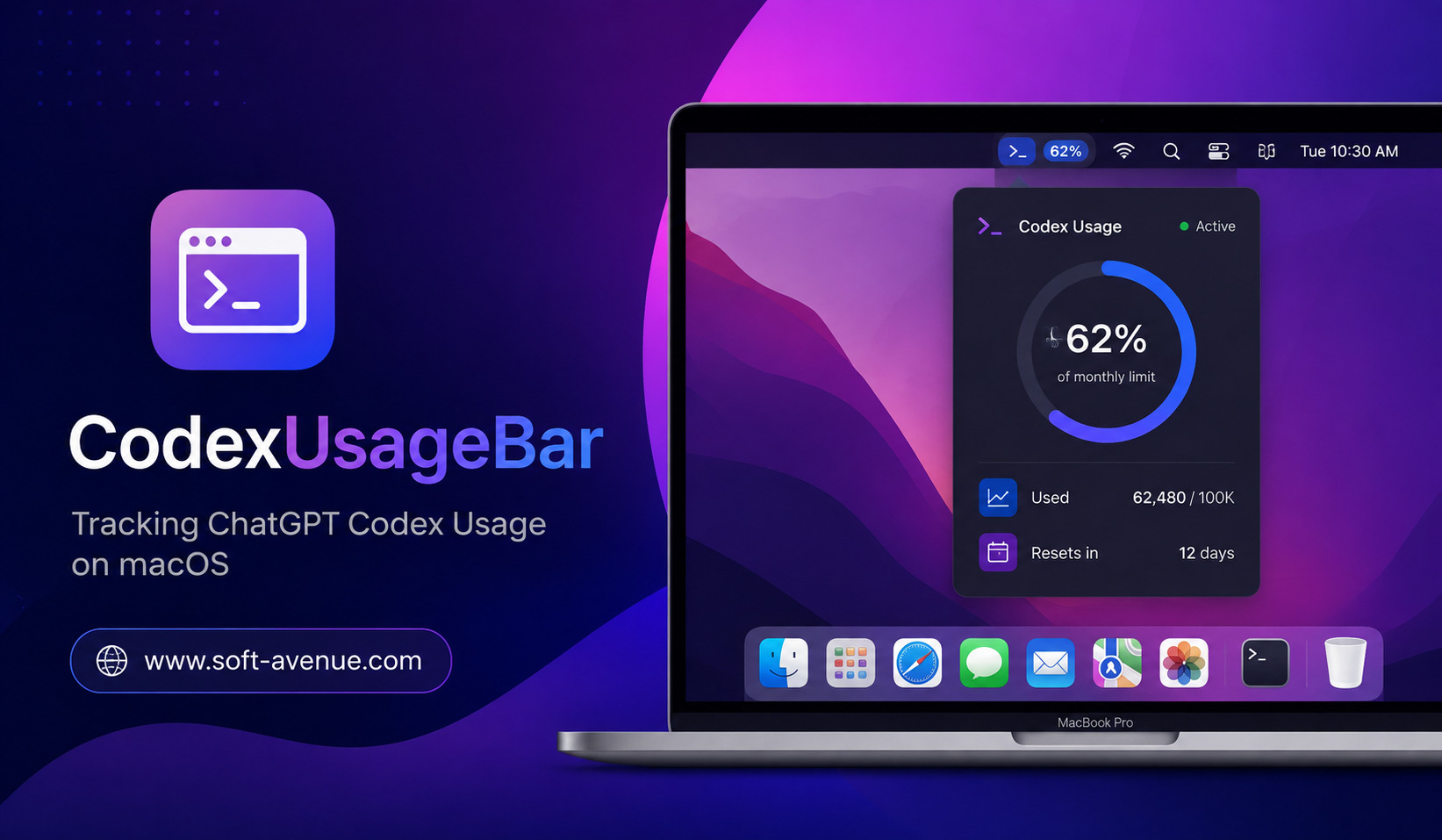
CodexUsageBar is designed for macOS users who want a simple way to monitor their ChatGPT Codex usage. Instead of repeatedly checking usage information manually, a lightweight menu bar utility can make this information easier to access while you work.
For developers who depend on Codex throughout the day, having usage information visible on the Mac can help with planning, avoiding unexpected limits, and understanding how heavily AI coding tools are being used.
What Is CodexUsageBar?
CodexUsageBar is a macOS-focused utility intended to provide quick visibility into ChatGPT Codex usage. Its primary idea is straightforward: bring usage information closer to the developer’s everyday workspace.
Rather than opening a separate website or application whenever you want to check your usage, a menu bar application can provide a convenient access point from the top of your Mac screen.
This approach is particularly useful for developers who spend most of their working hours inside code editors, terminals, documentation tools, and development environments. A quick glance at the menu bar can be more convenient than interrupting a coding session.
The exact information displayed can depend on the version and configuration of the utility, but the broader purpose is to make Codex usage easier to monitor.
Why Tracking Codex Usage Matters
AI coding assistants can significantly change the way developers work. A developer might use AI to generate a function, analyze an error, create tests, modify existing code, or work through a complicated programming problem.
With frequent use, it can be easy to lose track of how many requests or resources are being consumed.
Usage monitoring can therefore be useful for several reasons.
First, it provides better awareness. Developers can understand how much they are relying on AI during a particular workday or project.
Second, it can help with planning. If your available usage is limited by a plan or service configuration, knowing your remaining capacity can help you decide when to use AI and when to handle smaller tasks manually.
Finally, usage information can help identify working patterns. Someone may discover that AI is being used heavily for debugging but less frequently for writing new code. That insight can help developers decide where AI provides the greatest productivity benefit.
How CodexUsageBar Works on macOS
The concept behind a menu bar usage tracker is intentionally simple.
After installing and configuring the application, CodexUsageBar can operate from the macOS menu bar. Instead of occupying valuable screen space with a large dashboard, the utility keeps its presence relatively small.
The user can access the usage information from the menu bar when needed.
This design fits naturally into the macOS workflow. Developers often keep several applications open simultaneously, including a code editor, browser, terminal, communication software, and testing tools. A menu bar utility avoids adding another large application window to that environment.
The result is a more convenient way to check usage without significantly disrupting the development process.
Key Benefits of CodexUsageBar
Quick Access to Usage Information
One of the biggest advantages is convenience. Developers can check Codex-related usage without constantly navigating through different screens.
When you’re working on a large project, even small interruptions can break concentration. A menu bar tool keeps important information close at hand.
Better Awareness of AI Consumption
AI usage can become difficult to estimate when you use an assistant throughout the day. A dedicated usage indicator can make consumption more visible.
This is particularly valuable for developers who regularly use Codex for coding, debugging, testing, and documentation.
Designed for the Mac Workflow
Because CodexUsageBar focuses on macOS, its interface can fit naturally into the operating system’s menu bar environment.
For Mac developers who prefer native-feeling utilities, this can be more convenient than relying on a browser tab.
Helps Avoid Unexpected Usage Problems
Usage limits can become frustrating when they interrupt an important development task. Monitoring usage in advance can reduce the chance of discovering a limit at the worst possible moment.
A quick check before starting a large AI-assisted coding task can help developers make more informed decisions about their workflow.
Minimal Distraction
A good menu bar application should stay out of the way until it is needed. CodexUsageBar follows this general philosophy by making usage information accessible without requiring a full dashboard to remain open.
Who Can Benefit From CodexUsageBar?
CodexUsageBar can be useful for several types of users.
Software developers are the most obvious audience. Developers who use Codex frequently may appreciate having usage information available while coding.
Freelancers can also benefit from usage awareness. When AI tools are part of client work, understanding how frequently they are being used can help with workflow planning.
Students and learners experimenting with AI-assisted programming may find usage tracking useful for understanding their own habits.
It can also be useful for AI enthusiasts and power users who frequently experiment with coding agents and want greater visibility into their activity.
CodexUsageBar vs Manually Checking Usage
Without a dedicated utility, checking usage may involve opening the relevant ChatGPT or account interface and navigating to the appropriate information.
That approach works, but it can be inconvenient if you need to check usage frequently.
A menu bar application changes the experience by placing the information closer to your everyday workflow. Instead of treating usage checking as a separate task, it becomes something you can inspect quickly.
The difference may seem small, but convenience becomes important when a developer checks information multiple times during a work session.
Things to Consider Before Using It
Although a usage tracker can be convenient, users should consider a few factors before installing any third-party macOS utility.
Privacy should be a priority. If an application needs account information or access to a service, understand what permissions it requests and how information is handled.
Compatibility is also important. macOS changes regularly, so users should verify that the application works correctly with their current version of macOS.
Another consideration is data accuracy. A third-party usage indicator may depend on how it retrieves information from the relevant service. Users should treat the official account or service interface as the authoritative source when precise billing or quota information matters.
Finally, developers should check whether the application’s current version is actively maintained.
Why Lightweight Developer Utilities Matter
Modern development environments are becoming increasingly complex. Developers may work with cloud platforms, Git repositories, AI coding agents, package managers, containers, terminals, and multiple monitoring tools at the same time.
Small utilities can make these workflows easier by exposing useful information without requiring another large application.
CodexUsageBar represents this broader trend: instead of making developers search for information, a focused utility puts relevant data where it is easy to see.
For AI-assisted development, this can be particularly useful because usage is becoming another practical consideration alongside code quality, productivity, and cost.
The Growing Importance of AI Usage Monitoring
AI coding is moving beyond simple autocomplete. Developers increasingly use AI systems for larger tasks, including debugging, code transformation, project analysis, testing, and multi-step development workflows.
As AI becomes more deeply integrated into programming, usage awareness will likely become more important.
Developers may need to think about not only whether an AI tool can complete a task, but also how efficiently they are using it. Monitoring tools can contribute to that awareness.
For individual developers, this can encourage more intentional AI usage. For teams, usage information may eventually become part of broader productivity and cost-management strategies.
Final Thoughts
CodexUsageBar offers a simple concept with practical value for macOS developers: keep ChatGPT Codex usage information within easy reach. By bringing usage monitoring to the Mac menu bar, it can reduce the need to repeatedly navigate through separate interfaces.
The biggest advantage is convenience. Developers who use Codex regularly can benefit from having a quick way to understand their usage while continuing to work.
As AI coding assistants become a bigger part of everyday software development, tools that provide visibility into AI activity can become increasingly useful. For Mac users who rely heavily on ChatGPT Codex, CodexUsageBar is an interesting example of how a small utility can complement a modern AI-powered development workflow.
