
Artificial intelligence has given users more choices than ever. ChatGPT, Claude, Gemini, Grok, DeepSeek, Llama, and other AI models can all help with writing, coding, research, brainstorming, analysis, and everyday questions.
But having more choices can also create a problem.
When users want to compare different AI models, they often have to open several websites or applications, enter the same prompt repeatedly, and manually compare the answers. This can make a simple AI experiment unnecessarily time-consuming.
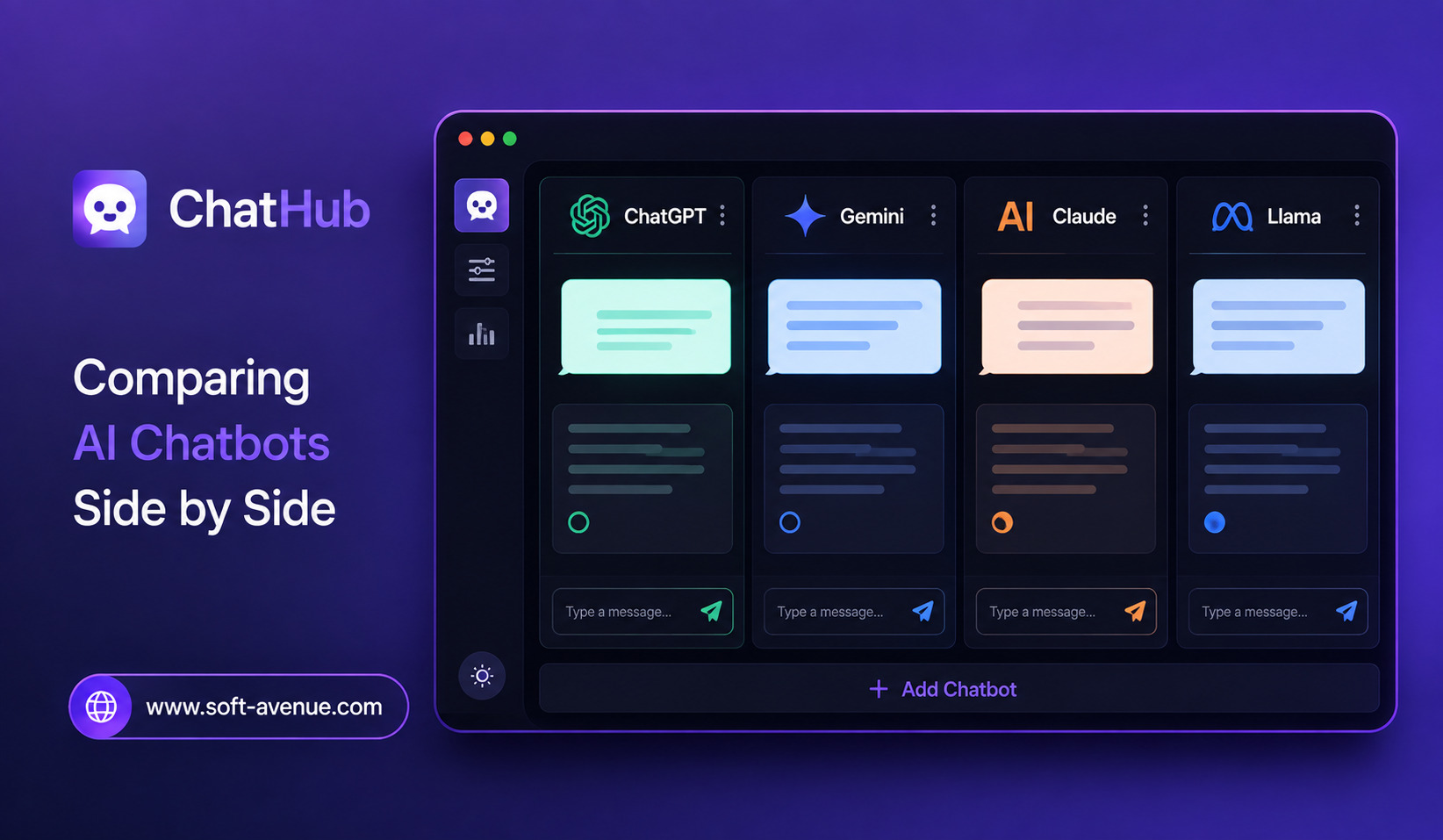
ChatHub takes a different approach by bringing multiple AI chatbots into one workspace. Its core feature allows users to send one question to several AI models simultaneously and view their responses side by side. ChatHub’s documentation says users can chat with up to six large language models at the same time.
This makes the platform particularly useful for people who want to compare AI responses instead of relying on a single model.
What Is ChatHub?
ChatHub is an all-in-one AI client designed to let users interact with multiple AI models from one interface.
The platform currently promotes access to models from providers and ecosystems including GPT, Claude, Gemini, Grok, DeepSeek, Llama, and others. Its current pricing page lists more than 30 models, although model availability can change over time.
The central idea is simple: ask once and compare multiple answers.
Instead of copying the same prompt into several chatbot websites, users can enter it once and receive responses from selected models.
This makes model comparison much faster and can be especially valuable when the quality of an answer matters.
Why Compare AI Chatbots?
AI models do not always produce the same answer.
Two models can interpret the same question differently. One might provide a detailed explanation, while another gives a shorter and more practical response.
Even when both answers appear convincing, they may contain different assumptions or errors.
Comparing multiple responses gives users an opportunity to identify areas of agreement and disagreement.
For example, someone researching a complicated topic could ask several models the same question. If all of them provide a similar explanation, the user may have greater confidence in the general direction of the answer. If their responses differ significantly, that can signal that further research is necessary.
Multiple answers do not automatically guarantee accuracy, but they can encourage better verification.
How ChatHub’s Side-by-Side Comparison Works
The main workflow is straightforward.
Users select the AI models they want to use and submit a prompt.
ChatHub sends the request to the selected models and displays the responses together. According to ChatHub’s documentation, users can select different models and quantities, with up to six models running simultaneously.
This creates a visual comparison.
Instead of switching browser tabs, users can look across the responses and determine which answer is most useful.
The approach is particularly effective for prompts where there is no single obvious answer.
Finding the Best Response
One benefit of side-by-side AI comparison is that users can choose the response that best fits their needs.
Suppose a writer asks several models to create an introduction for an article.
One model might produce a highly professional opening. Another might be more conversational. A third might offer a creative angle that the writer had not considered.
The user does not have to accept one model’s output blindly.
They can compare the results, select the strongest ideas, and create a final version using their own judgment.
ChatHub for Content Creation
Content creators can use multi-model comparison for brainstorming, writing, editing, and idea development.
A single prompt can generate several approaches to a topic.
For example, a marketer could ask multiple models to suggest campaign ideas. A writer could request different introductions. A social media manager could compare several caption styles.
The benefit is variety.
Instead of repeatedly asking one chatbot for alternatives, users can obtain different perspectives from different models in the same workflow.
This can make brainstorming more productive.
ChatHub for Research
Research is another strong use case.
When exploring a complicated topic, users may want to see how different AI systems explain it.
ChatHub can make this process faster by presenting several responses at once.
However, AI-generated information should still be checked against reliable sources, particularly for medical, financial, legal, scientific, or current-event questions.
Side-by-side comparison is best viewed as a way to identify perspectives and potential gaps—not as proof that a claim is correct.
Comparing AI for Coding
Developers can also benefit from multiple model responses.
A developer might provide the same programming problem to several models and compare their solutions.
One response could prioritize simplicity, another performance, and another readability.
This can help developers explore alternative approaches before choosing an implementation.
ChatHub also supports code formatting and code preview features, according to its current product information.
Developers should still test generated code rather than assuming that a response is correct simply because it looks technically convincing.
Working With Documents and Images
Modern AI workflows are increasingly multimodal.
ChatHub supports working with files and images, with its documentation highlighting PDF and image conversations. Its current product pages also describe document uploads and AI-powered file analysis.
This can be useful when users want AI assistance with reports, documents, screenshots, spreadsheets, or other supported files.
A user can potentially compare how different models interpret the same material.
This creates another layer of model evaluation that goes beyond ordinary text prompts.
Web Access for Current Information
AI models can have limitations when answering questions about changing information.
ChatHub includes web access capabilities designed to bring current internet information into AI workflows. Its product pages describe real-time web access as one of the platform’s features.
This can be useful for research involving recent developments.
However, users should still check the underlying sources. Web-enabled AI can retrieve information, but the quality of the final answer depends on the sources found and how the model interprets them.
Prompt Libraries
Users who repeatedly perform similar AI tasks can benefit from reusable prompts.
ChatHub includes a Prompt Library for managing and exploring prompts.
This can help professionals maintain consistent workflows.
For example, a content team might maintain prompts for article outlines, editing, research summaries, or social media brainstorming.
Instead of recreating the same instructions every time, users can save useful prompts and reuse them.
ChatHub for Students and Learners
Students can also use multiple AI models as learning assistants.
A student studying a difficult subject could ask several models to explain the same concept in different ways.
One explanation may use an analogy, another may provide a technical definition, and another may break the subject into smaller steps.
Comparing explanations can help learners discover which style works best for them.
However, students should use AI as a learning aid rather than replacing their own understanding or academic requirements.
Desktop, Browser, and Mobile Access
ChatHub has expanded beyond a single interface.
Its current website lists web access, browser extensions, Windows and macOS applications, as well as iOS and Android options.
The browser extension can be especially convenient for users who want AI assistance while browsing.
The Chrome Web Store listing also describes side-by-side chatbot use, local conversation history, prompt management, web access, and custom chatbot capabilities.
This gives users multiple ways to incorporate model comparison into their normal workflows.
One Subscription for Multiple Models
Another aspect of ChatHub’s current positioning is centralized access.
Its pricing page advertises access to more than 30 AI models through its subscription plans, including models from several major AI ecosystems.
For users who regularly experiment with multiple models, a unified subscription can be simpler than managing numerous separate AI services.
However, users should compare the included models, usage limits, pricing, and individual provider plans before deciding whether a centralized subscription offers better value for their specific needs.
The Challenge of Too Many Answers
More AI responses are not always better.
If six models answer the same question, the user now has six responses to read.
For a simple question, this can actually slow down the process.
The biggest value of ChatHub therefore comes when comparison itself is useful.
Complex research, brainstorming, coding decisions, content development, and subjective questions are situations where multiple perspectives can provide meaningful value.
For straightforward tasks, using one trusted model may be faster.
Privacy and Data Considerations
Users should also think carefully about what they upload or enter into a multi-model AI platform.
Documents, business information, customer records, personal information, and confidential material can contain sensitive data.
Before using such information, users should review the platform’s privacy practices, data handling policies, storage options, and the terms associated with the relevant AI models.
Convenience should not come at the expense of responsible data handling.
The Future of AI Model Comparison
As more AI models become available, comparison tools could become increasingly useful.
The question may no longer be simply, “Which AI model is the best?”
Instead, users may ask, “Which model gives me the best answer for this particular task?”
Different models can have different strengths, and those strengths can change as new versions are released.
Platforms such as ChatHub make it easier to experiment with these differences.
Over time, AI comparison could become a normal part of digital work, similar to comparing search results or checking several sources before making an important decision.
Final Thoughts
ChatHub makes AI model comparison more convenient by allowing users to interact with multiple chatbots side by side.
Its core advantage is straightforward: one prompt can produce multiple AI responses, allowing users to compare different approaches without constantly switching between applications. ChatHub currently supports a broad collection of models and also offers features such as web access, file and image analysis, prompt management, and code-related tools.
For writers, developers, researchers, marketers, students, and AI enthusiasts, this can be a practical way to explore the strengths and weaknesses of different models.
The important point is that multiple AI responses should not replace human judgment. They should provide additional perspectives that help users question assumptions, compare approaches, and verify important information.
As the AI ecosystem continues to expand, tools like ChatHub point toward a future where using AI may involve comparing several intelligent systems rather than relying on just one.
